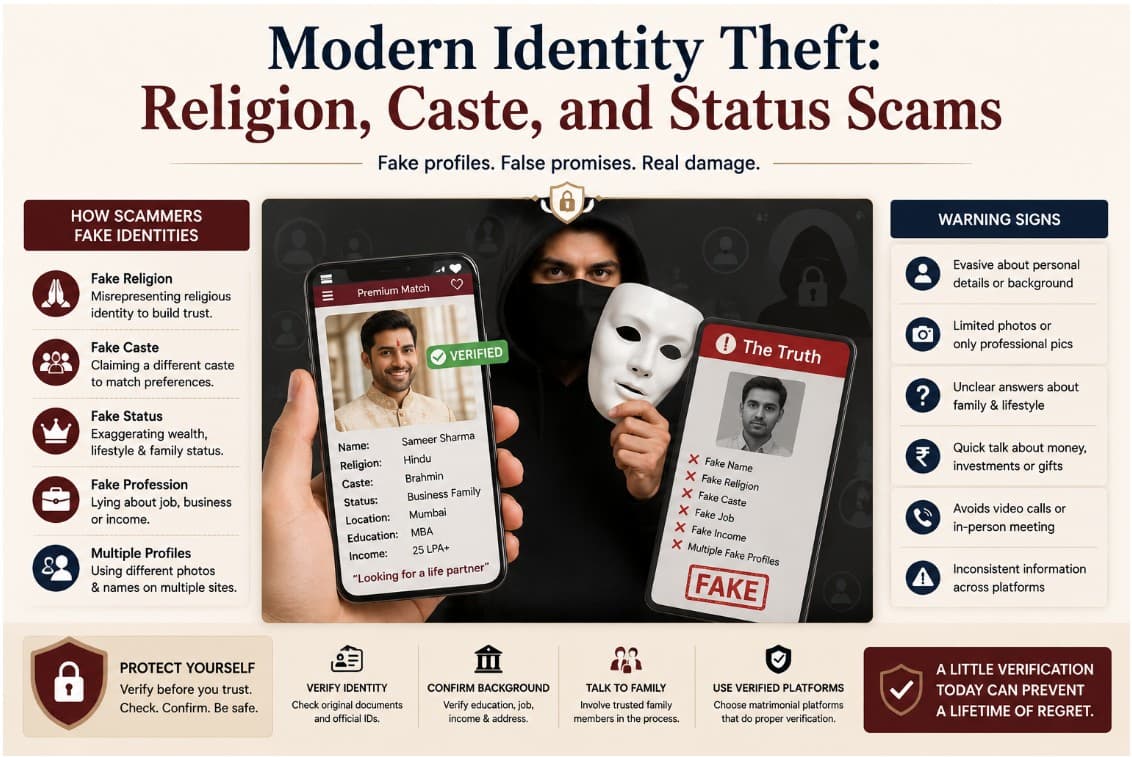
A marriage biodata is, by necessity, a document that contains a concentrated collection of personal information: your full name, photo, date of birth, workplace, city, family details, and phone number — all on one or two pages, formatted for easy sharing.
The convenience is the problem. A PDF that can be shared in one tap can be forwarded in one tap. The same property that makes it easy to send to one family makes it easy to send to a hundred — without your knowledge, without your consent, and often without the original sender's awareness of the chain.
This guide is about understanding the actual risks, and the practical steps to protect yourself.
What Happens to a Biodata PDF After You Send It
When you send a biodata PDF on WhatsApp, you control who receives the first copy. After that, control ends.
The receiving family might share it with:
- Their extended relatives for a second opinion
- A community matchmaker or Agua who circulates it further
- A WhatsApp group of community members looking for matches
- Families they rejected it for but thought might be interested
None of these forwards require your permission. None of them notify you. A biodata shared with one family in January can be circulating in a group of three hundred people by March.
This is not hypothetical. It is how the Indian matrimonial network has always worked — first with physical photograph prints, now with digital PDFs. The speed has increased dramatically; the norms around distribution have not caught up.
What Information Is Actually at Risk
Not all information in a biodata carries the same risk.
Low risk: Date of birth, religion, caste, education, income range, family type. These are general descriptors — useful for matchmaking and not easily exploited in isolation.
Medium risk: Workplace name + designation + city + full name. This combination makes you precisely locatable on LinkedIn, company directories, and Google. Someone with this information can find your professional profile, colleagues, and more without you knowing.
Higher risk for women: Full name + photo + city + direct phone number is enough for unwanted contact. Women whose biodatas circulate in large groups sometimes receive unsolicited messages from people who were never introduced through a proper channel.
The contact number: Most biodatas list a phone number as the contact. If this is your direct number, anyone who receives a forwarded copy of your biodata — however indirectly — has it.
What You Can Do to Protect Yourself
Use a parent or sibling's number as the contact, not your own. This is standard practice in many families and creates a buffer — serious proposals go through your family first, and your direct number is shared only after a proper introduction.
Omit your exact employer if your role + city + name already identifies you. "Senior Analyst, Financial Services, Mumbai" is informative without being searchable. Test yourself: can someone Google your name + company + designation and find your LinkedIn profile? If yes, consider whether to include the full employer name on the initial biodata.
Do not include your home address. City and state is enough for initial matching. A full address belongs in conversation, not in a document that may be forwarded to people you've never met.
Avoid sharing biodatas in large WhatsApp groups directly. When groups are involved — community groups, family groups, matchmaker groups — share with the intermediary and let them make introductions individually. You lose less control this way.
Use a shareable link instead of a PDF when possible. A link to a private profile can be revoked. A PDF cannot. BiodataPlus generates a private shareable link for your biodata — if a proposal doesn't proceed, you can simply stop sharing the link. The PDF version of your biodata is yours to download and share as you choose; the link gives you the option of a more controlled introduction.
The Matchmaker Network (Agua) and Digital Circulation
In many communities across India, professional and semi-professional matchmakers — often called Agua, Nai, or simply the community broker — collect biodatas from families and circulate them proactively. This is how much of the matchmaking outside major cities still works.
These intermediaries are not malicious — they are the network — but their distribution practices predate privacy norms. A biodata you share with one trusted Agua may be forwarded to their entire network, which may include people across several cities and communities you had no intention of reaching.
If you are working with such intermediaries:
- Share a version with slightly reduced detail (no employer name, parent contact only)
- Accept that your photo and basic details will circulate — this is the nature of the channel
- Your full biodata with complete employer and contact details can be shared once a specific family expresses interest through proper channels
On Biodata Maker Apps and Privacy
Several apps and websites offer biodata creation — some well-maintained, some not. Before uploading your photo and personal details:
- Look for HTTPS — the lock icon in your browser. If the site does not have it, do not upload anything.
- Read the privacy policy — specifically, whether the service stores, shares, or monetises your data. "We may share your data with partners" is a red flag.
- Avoid apps that require account creation with your full name and phone number just to create a biodata — this is more data than necessary.
BiodataPlus requires only what is needed to generate your biodata. Your data is not shared with third parties and is not used for advertising.
The Practical Balance
Matching through the arranged marriage process requires sharing information. Some degree of circulation is inherent to the process and cannot be avoided entirely.
The goal is not zero risk — it is proportionate caution. Share enough to attract the right families. Protect what could enable the wrong kind of contact. Use intermediaries where they provide value, and direct channels where you have more control.
The most important habit: treat your biodata as a document that will eventually be seen by more people than you intended. Write it with that in mind.