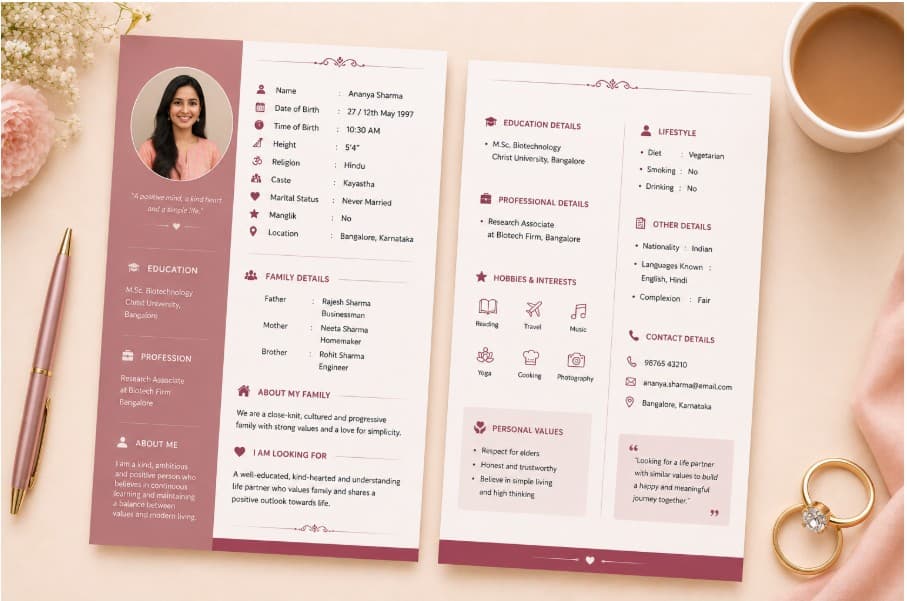
You have put real care into creating the biodata. The details are right, the photo is good, the About Me says something genuine. Now you hit a question that feels simple but matters more than it seems: do you share it as a Word file or a PDF?
The short answer is PDF — and the reason matters enough to understand before you hit send.
The short answer: PDF. Here is why.
What people mean by "Word format biodata"
When families ask for a biodata in "Word format," they usually mean one of two things:
- A
.docxfile they can open and edit themselves - A neatly formatted biodata document (as opposed to a plain text message)
The second meaning is just a biodata — and a PDF satisfies it perfectly. The first meaning is where things get complicated.
The problem with Word format biodatas
It looks different on every device
A Word file formatted on your laptop with Calibri font, specific margins, and a photo in a text box will look completely different when opened on an Android phone using WPS Office, or on an iPhone using Pages, or on someone's older PC using Word 2010. Fonts change. Photos shift. Tables break. The carefully spaced layout you worked on becomes unreadable.
PDF solves this entirely. A PDF looks identical on every device — the same fonts, the same layout, the same photo placement — whether opened on a phone in Mumbai or a laptop in London.
WhatsApp does not preview Word files
When you send a PDF on WhatsApp, the recipient sees a preview thumbnail immediately. When you send a .docx file, they see a generic document icon. Many people will not bother opening it. PDF sharing on WhatsApp has become the default for marriage biodata precisely because of this.
Matrimonial sites expect PDF
Most matrimonial portals (Shaadi.com, Jeevansathi, BharatMatrimony) accept PDF uploads for biodata documents. Word files are either rejected or stripped of formatting on upload.
When Word format is useful
Word format makes sense in one scenario: if the family wants to print the biodata themselves and fill in additional details by hand — common in some communities where a local priest or mediator fills in kundali details on the printed sheet.
In this case, the right approach is still to generate a PDF biodata for digital sharing, and separately provide a simple Word template for the printed version that will be written on.
PDF vs Word — quick comparison
| Word (.docx) | ||
|---|---|---|
| Looks the same on all devices | ✅ Yes | ❌ No — depends on app and fonts |
| WhatsApp preview thumbnail | ✅ Yes | ❌ No |
| Matrimonial site upload | ✅ Accepted | ⚠️ Often rejected |
| Can be edited by recipient | ❌ No | ✅ Yes |
| Print quality | ✅ Excellent | ⚠️ Varies by device |
| File size (with photo) | ✅ 200–500 KB | ⚠️ Often larger |
| Professional appearance | ✅ Consistent | ❌ Inconsistent |
How to create a marriage biodata PDF for free
BiodataPlus is a free online biodata maker that generates a formatted PDF biodata in minutes — no Word file editing, no manual formatting.
- Answer a short guided form (name, DOB, education, family, photo)
- AI writes your About Me and Partner Expectations automatically
- Choose from 17 professionally designed templates
- Download the PDF or share directly on WhatsApp
Every design is free to download — the PDF carries a light biodataplus.in watermark, and a watermark-free PDF costs ₹21.
What about "biodata Word format free download"?
These are blank .docx templates you fill in manually. They are free because they are just empty files — the formatting work is left entirely to you. Every time your data changes (new job, new address, updated photo), you repeat the formatting process.
An online maker like BiodataPlus stores your data, so updates take seconds and the PDF is always ready to share.