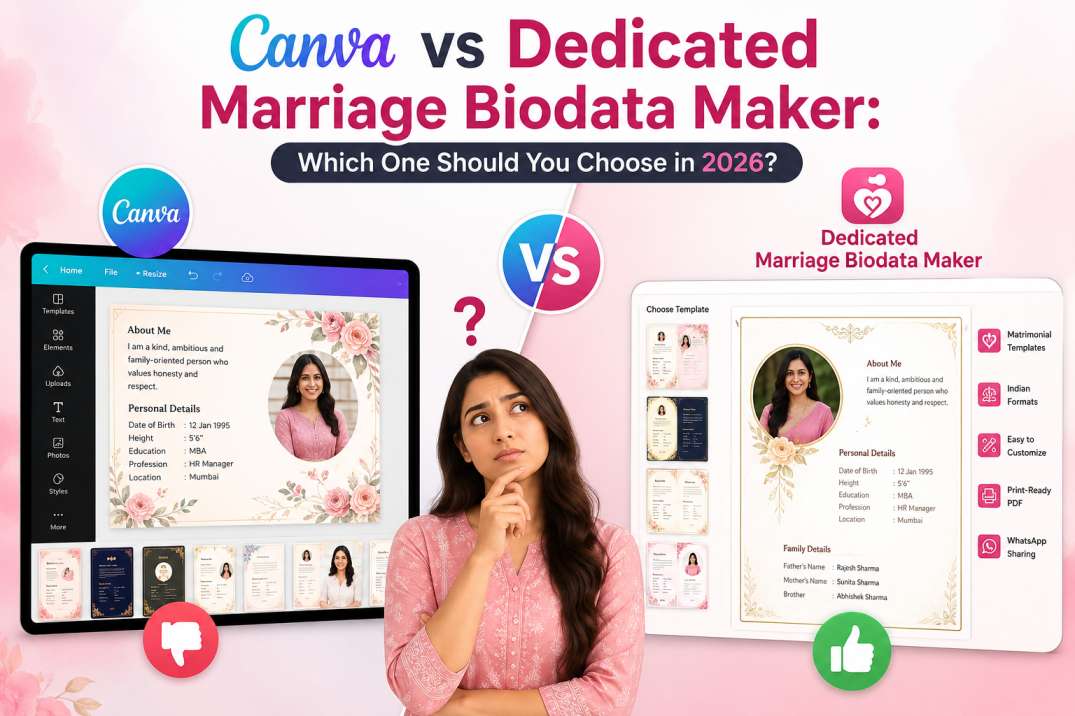
If you want to create a marriage biodata quickly and professionally, a dedicated marriage biodata maker is usually the better choice. Canva is an excellent design tool, but it isn't built specifically for matrimonial profiles.
The difference matters because a marriage biodata isn't just about looking attractive. It needs to present personal, family, educational, and cultural information in a clear, structured format that families can easily read and trust. A dedicated marriage biodata maker simplifies this process with built-in sections and automatic formatting, while Canva requires you to design and organise everything manually.
Canva vs Dedicated Marriage Biodata Maker: Side-by-Side Comparison
| Feature | Canva | Dedicated Marriage Biodata Maker |
|---|---|---|
| Time Required | Manual editing | Mostly automated |
| Marriage Templates | Generic | Purpose-built |
| Family Details | Manual placement | Pre-built sections |
| Horoscope | Manual | Included |
| Gotra | Manual | Included |
| Mobile Experience | Moderate | Optimized |
| Auto Formatting | No | Yes |
| PDF Export | Manual adjustments | Ready instantly |
| Editing Later | Can affect layout | Layout remains intact |
| Traditional Structure | Depends on design | Built-in |
| Sharing on WhatsApp | Possible | Optimized PDF |
The comparison highlights one important difference: Canva is a general-purpose design platform, while a dedicated marriage biodata maker is built specifically to generate well-structured matrimonial profiles. Since both tools are designed for different purposes, the experience and results can vary significantly depending on your needs.
Why So Many People Choose Canva First (And It Makes Sense)
Choosing Canva isn't a mistake. In fact, it's a perfectly reasonable first choice because millions of people already use it for presentations, resumes, invitations, and social media graphics.
You might already have a Canva account. Since you're familiar with the interface, using it for a marriage biodata feels like the natural next step.
Some of Canva's biggest advantages include:
- Thousands of templates for different design styles.
- Drag-and-drop editing without advanced software.
- Free version suitable for basic designs.
- Works on desktop and mobile.
- Easy customisation of fonts, colours, and images.
If you enjoy designing documents and want complete creative freedom, Canva is an excellent tool. The important question isn't whether Canva is good. It's whether Canva is the right tool for a marriage biodata.
The Hidden Problems Most People Discover After They Start
The biggest challenge with Canva isn't creating a beautiful design. It's maintaining a clean, readable marriage biodata as you keep adding information.
A marriage biodata often includes details such as:
- Family background
- Occupation
- Education
- Religion
- Community
- Gotra
- Horoscope
- Expectations
- Contact details
Unlike posters or resumes, these sections vary significantly from person to person.
For example, you might write only two lines about your family, while someone else needs eight lines. Every extra sentence changes the layout.
That creates several practical problems.
Manual Alignment Takes Time
Adding just one extra line can shift multiple text boxes.
You may find yourself repeatedly:
- Moving sections
- Adjusting margins
- Resizing fonts
- Fixing spacing
- Rearranging photos
Instead of writing your information, you're spending time fixing the layout.
Important Matrimonial Fields Are Missing
Canva templates aren't built around Indian matrimonial requirements.
That means you must manually decide:
- Where to place Gotra
- Where the horoscope should appear
- How to organise family information
- Where expectations should be written
- How to maintain traditional reading order
Every decision adds extra work.
Mobile Editing Can Be Frustrating
Many people create their marriage biodata directly from their smartphones. Editing multiple text boxes on a small screen isn't impossible, but it demands precision.
Selecting tiny elements, adjusting spacing, and avoiding accidental movements can quickly become frustrating.
Layout Consistency Becomes Difficult
One of the biggest hidden issues is consistency. A professional marriage biodata should look balanced from top to bottom.
When different sections have varying lengths, maintaining equal spacing manually requires patience and design experience.
What Makes a Dedicated Marriage Biodata Maker Different?

A dedicated marriage biodata maker approaches the task completely differently. Instead of asking you to design a page, it asks you to provide information through a structured form rather than an empty canvas. Instead of managing pixels and alignment, you can focus on what actually matters — your details.
Most dedicated biodata makers include ready-made sections for:
- Personal information
- Education
- Career
- Family details
- Religion
- Community
- Gotra
- Horoscope
- Expectations
- Contact information
- Photograph
Once you complete the form, the platform automatically formats everything into a professionally designed biodata.
That removes almost all manual formatting work.
Matrimonial Consultant Tip: Families usually spend only a few moments scanning a marriage biodata during the first review. A clean structure helps them locate important information quickly. Decorative design elements rarely influence their decision, but missing or poorly organised information often does.
Which Tool Saves More Time?
Most people don't actually want to design a marriage biodata. They simply want to create one.
Here's how the typical workflow looks.
Using Canva
- Find a template.
- Replace placeholder text.
- Resize text boxes.
- Adjust spacing.
- Move photos.
- Align sections.
- Export PDF.
- Check if everything still looks correct.
Using a Dedicated Marriage Biodata Maker
- Fill in your details.
- Choose a template.
- Preview.
- Download PDF.
The difference becomes even more noticeable when you need to edit something later. Updating your job title or address in Canva may require moving several design elements.
A dedicated platform updates the information while preserving the layout automatically.
If your goal is creating a marriage biodata — not learning graphic design — a dedicated solution usually saves significant time.
Which One Looks More Professional to Families?
Professional doesn't always mean visually creative. In matrimonial profiles, professionalism usually means clarity.
Families often look for information in a familiar order:
- Personal details
- Education
- Career
- Family background
- Religious details
- Expectations
When information follows this structure, reading becomes effortless. Highly decorative layouts can sometimes distract from the actual content.
A balanced design with consistent typography often creates a stronger first impression than one filled with graphics.
The purpose of a marriage biodata is communication, not creativity.
Also Read: Why Biodata Design Matters When Looking for a Marriage Match
Who Should Use Canva?
Canva remains an excellent option if you:
- Enjoy graphic design.
- Want complete creative freedom.
- Already know Canva well.
- Have enough time to customise every section.
- Prefer a unique visual style over a traditional format.
For experienced designers, Canva offers almost unlimited flexibility.
Who Should Use a Dedicated Marriage Biodata Maker?
A dedicated platform is usually the better choice if you:
- Need a biodata quickly.
- Don't have design experience.
- Want traditional matrimonial formatting.
- Prefer editing on your phone.
- Need culturally relevant sections.
- Want ready-to-share PDFs.
- Plan to update your biodata later.
If your objective is efficiency rather than design experimentation, dedicated tools offer a smoother experience.
Why BiodataPlus Is the Better Choice
At BiodataPlus, we built our platform specifically for creating marriage biodatas — not for general graphic design. Instead of spending time designing layouts, you simply enter your details, choose a template, and download a professionally formatted PDF in minutes.
Our platform includes ready-made matrimonial sections such as family details, religion, community, Gotra, horoscope, expectations, education, and career, so you don't have to create or arrange them manually. Every design is free, and each one is optimised for readability, mobile editing, and easy sharing, helping you create a professional marriage biodata without any design skills.
Canva vs BiodataPlus: Quick Comparison
| Feature | Canva | BiodataPlus |
|---|---|---|
| Built for Marriage Biodata | No | Yes |
| Auto Formatting | No | Yes |
| Traditional Templates | Limited | Yes |
| Gotra Section | Manual | Included |
| Horoscope Section | Manual | Included |
| Family Details | Manual | Structured |
| Average Time | 20–30 minutes | Around 5 minutes |
| Design Skills Required | Moderate | None |
| Mobile Experience | Average | Excellent |
| Ready-to-Share PDF | Manual adjustments | Instant |
Also Read: Muslim Marriage Biodata Format: What to Include and Avoid
Final Verdict
Canva is an excellent graphic design tool, but creating a marriage biodata shouldn't require hours of designing and formatting. If your goal is to create a clean, professional, and family-friendly biodata quickly, BiodataPlus is the smarter choice.
With ready-made matrimonial templates, automatic formatting, mobile-friendly editing, and 17 free designs, BiodataPlus helps you create a polished marriage biodata in minutes — without any design skills.
Create your marriage biodata with BiodataPlus today and get a professionally designed PDF that's ready to share with families instantly.