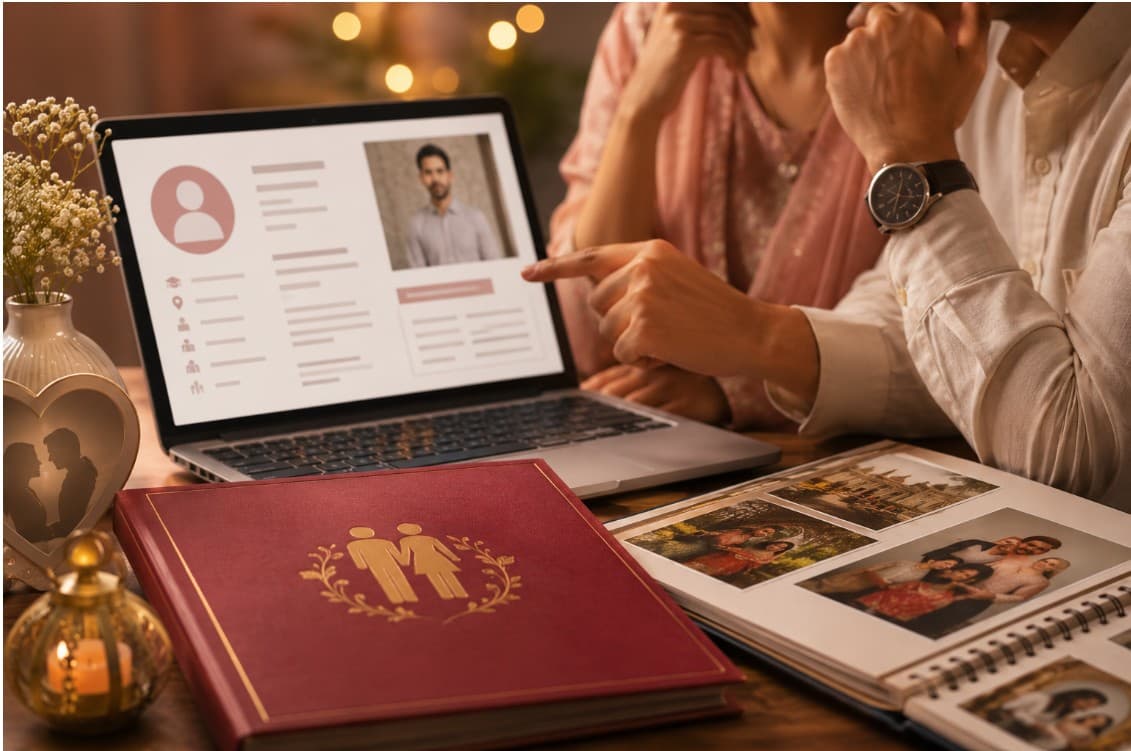
When a family opens your biodata — on a phone screen, forwarded through WhatsApp — they have never met you. They will not hear your voice or read your expression. They will spend perhaps thirty seconds with the document before deciding whether to continue.
In that window, everything that makes you a full, interesting, lovable person has to come through a PDF. That is a difficult constraint. This guide is about how to make that constraint work in your favour — through the right template, a genuine photo, and words that say something real.
1. Start with the Right Template
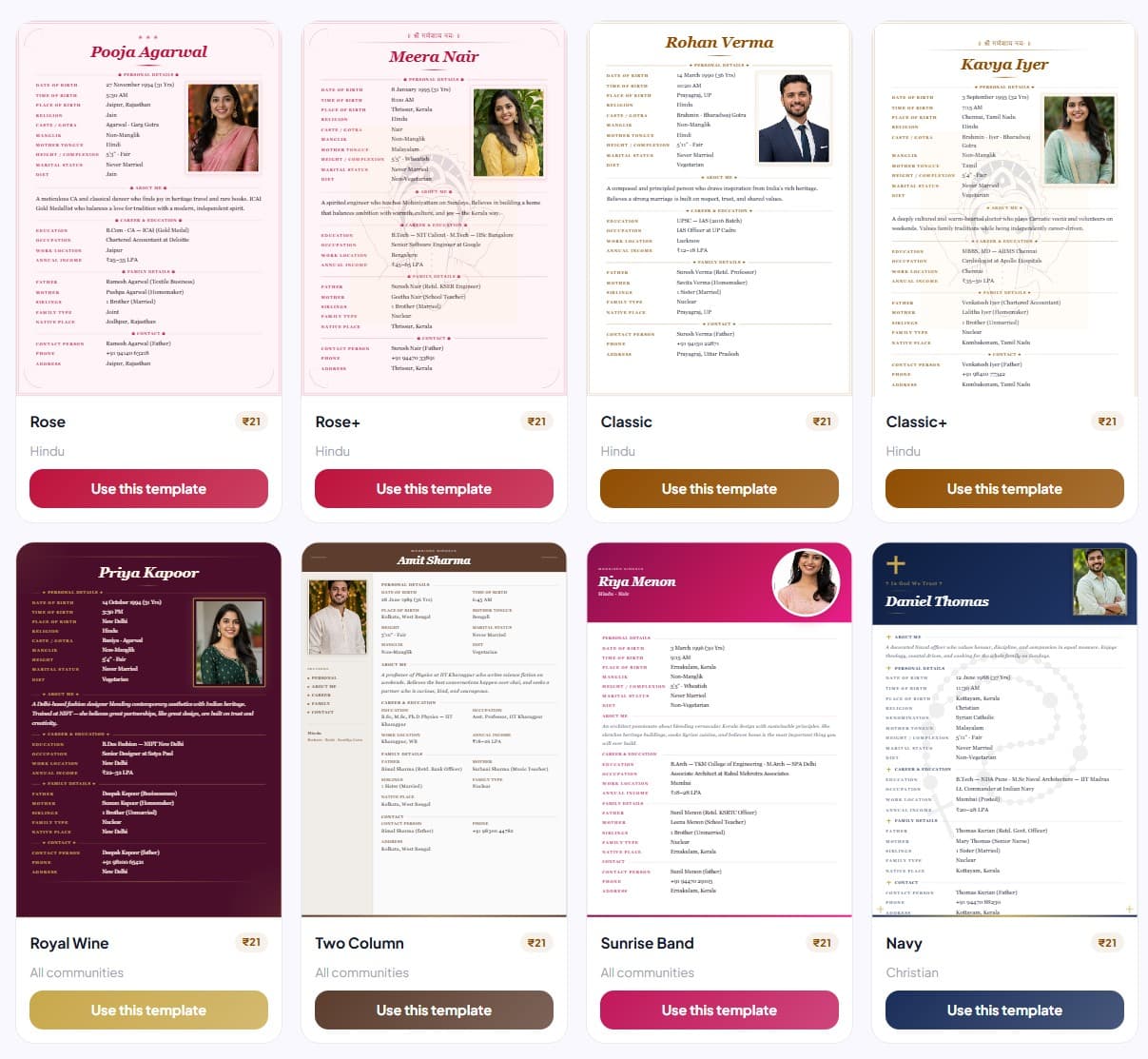
The single biggest upgrade you can make to a marriage biodata is replacing a plain Word document with a designed template. A well-chosen template does three things: it organises your information clearly, it signals effort and professionalism, and it makes your biodata memorable in a pile of plain ones.
- Classic or Ganesha — ideal for traditional Hindu families; warm brown and gold tones with an invocation
- Rose or Mauve Gold — feminine and elegant; popular choice for brides
- Modern — clean, minimal, navy-blue; suits urban professionals of any background
- Two Column — compact and information-dense; great for grooms with detailed career backgrounds
- Royal Wine — rich and distinctive; a bold choice that stands out immediately
- Christian Navy or Muslim Green — culturally specific designs that feel right for those communities
- Plain White — simple and clean; works for any community including Marathi, Tamil, Buddhist, and Jain families; completely watermark-free and always free
Match the template to your personality and family background — a traditional Rajput family will respond differently to a Modern template than a Bangalore tech professional will. For Marathi lagna biodata, Classic or Vermilion work well. For Tamil jathagam biodata, Plain White or Teal Copper are popular. For Muslim rishta biodata, Muslim Green or Sage Green suit the format.
2. Get the Photo Right
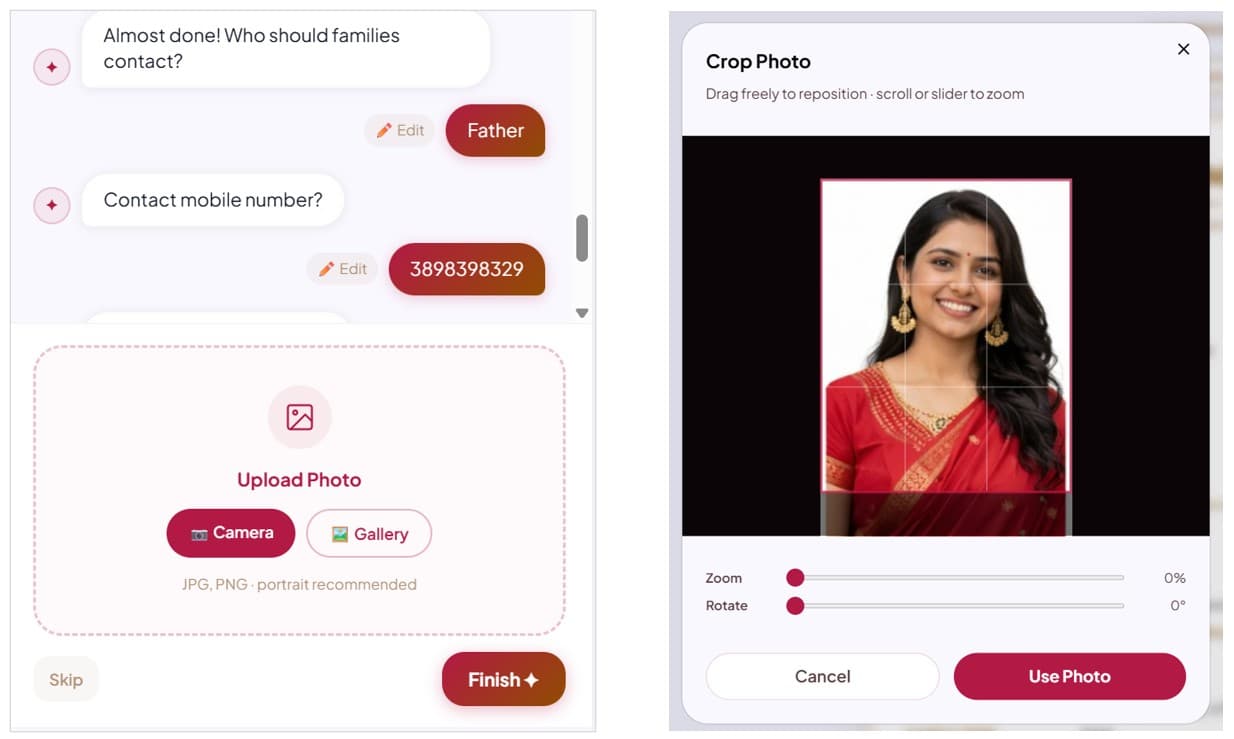
The photo is the first thing a family looks at. A great photo signals confidence and care; a poor one — blurry, old, or casual — undermines even a perfectly written biodata.
- Wear formal or semi-formal clothing — a good kurta, shirt, or saree. Avoid T-shirts, party wear, or heavily patterned fabric.
- Use a plain background — white, off-white, or light grey. Avoid busy backgrounds, outdoors shots, or holiday photos.
- Good lighting is non-negotiable — natural light from a window, or a well-lit room. No harsh shadows.
- The photo should be recent — taken within the past 6 months. Families will notice if the person they meet looks very different.
- A slight, natural smile creates a warm and approachable impression.
- Avoid: selfies, group photos, sunglasses, heavy filters, or cropped couple photos.
For a complete walkthrough — lighting angles, outfit colours, camera setup, and the 5-minute at-home checklist — see the marriage biodata photo guide.
3. Write an "About Me" That Actually Says Something
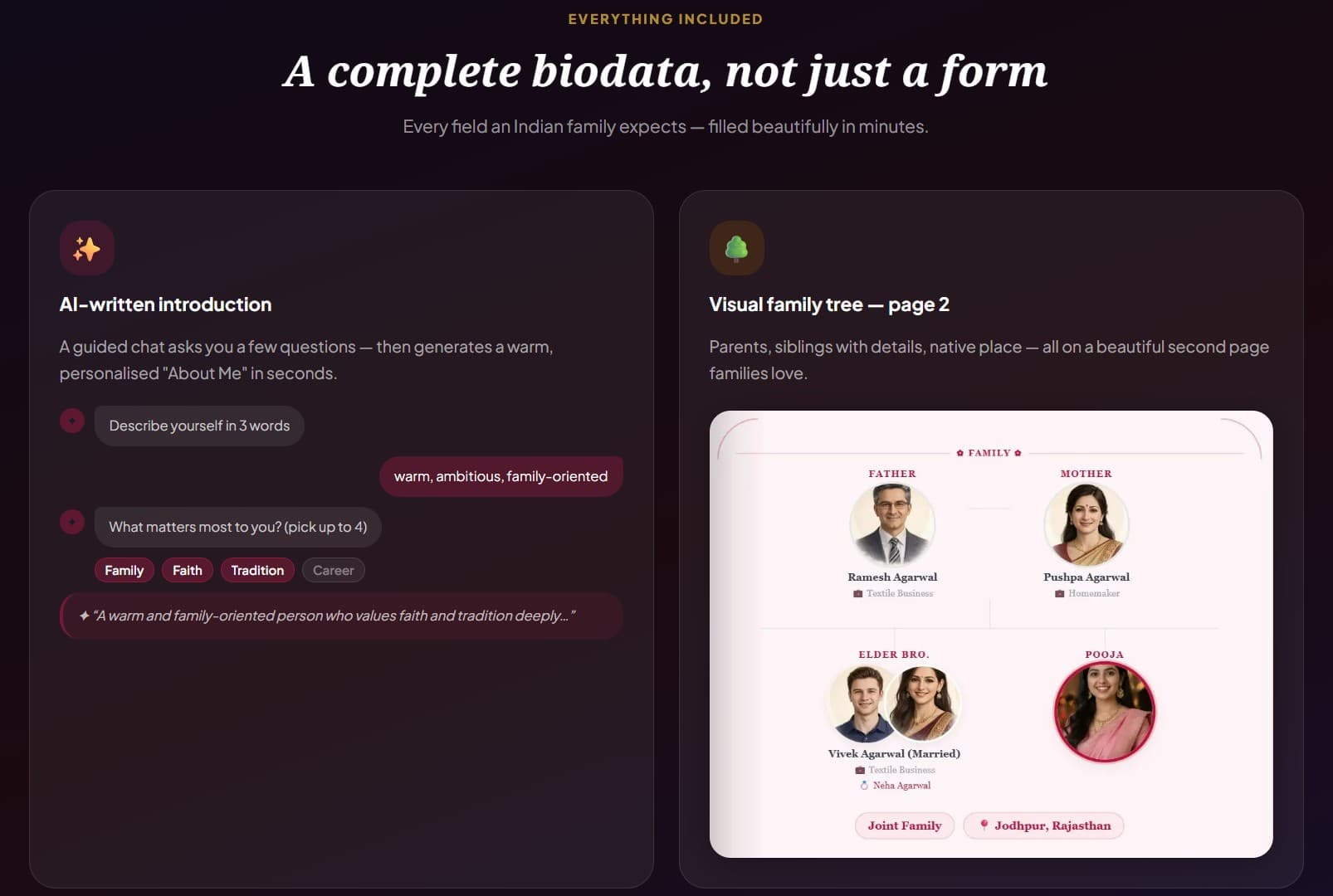
This is the section where most biodatas lose the reader — not because the person is uninteresting, but because the writing becomes generic the moment anyone feels self-conscious.
"Simple, homely, family-oriented" is how nearly every About Me reads. It is not that these things are untrue. It is that they describe everyone and therefore describe no one. A family reading their fifteenth biodata of the month will skim past it without registering anything.
A good About Me does something harder: it makes the person real. It gives the receiving family something to picture, something to remember, something to mention to each other later.
It only needs to answer three things in 3–4 sentences:
- Who are you? — your personality, values, and what genuinely matters to you
- What does your life look like? — one specific detail about your work, hobby, or daily life
- What kind of home are you hoping to build? — not requirements, but a sense of the life you envision
Weak About Me: "I am a fun-loving person who values family and traditions."
Strong About Me: "A software engineer by profession and a weekend trekker by choice, I grew up in a close-knit Punjabi family where Sunday lunches lasted three hours. I believe a good marriage is built on honesty, shared laughter, and the ability to disagree respectfully. I am looking for a partner who is ambitious but grounded — someone who knows when to put the phone down."
The second version is not longer. It is specific. Specificity is the only thing that separates a memorable About Me from a forgettable one.
4. Organise Information with Clear Sections
An attractive biodata is easy to scan. Families are reading multiple profiles — they should be able to find any piece of information within two seconds. Use the standard section order that families expect:
- Personal Details — the essential facts: DOB, religion, caste, gotra, height, manglik
- About Me — your personality and values in your own words
- Career & Education — qualification, company, designation, income range
- Family Details — parents, siblings, family type, native place
- Contact — who to call, and their number
Do not bury important information. If the family cannot find your gotra or income range in five seconds, they will move on.
5. Be Specific, Not Vague
Vague information raises doubts; specifics build trust. Compare these pairs:
- "IT professional" vs "Senior Software Engineer at Infosys, Pune"
- "Good salary" vs "₹18–25 LPA"
- "Good family background" vs "Father is a retd. bank manager; mother is a school teacher"
- "Tall" vs "5'10""
- "Interested in sports" vs "🏏 Cricket · 🥾 Trekking · ♟️ Chess"
6. Add a Family Tree on Page 2
A visual family tree on the second page shows the extended family at a glance — parents, siblings, their spouses and children. It is far more readable than a paragraph of names, and it demonstrates that you are proud of your family and have nothing to hide. BiodataPlus generates this automatically from your family details.
7. Print and Digital Checklist
Before sharing your biodata — by WhatsApp, email, or print — run through this quick checklist:
- Photo is clear, recent, and formal
- Full name spelled correctly throughout
- Gotra and manglik status included
- Income range filled — not left blank
- Contact phone number is correct and reachable
- PDF is less than 2MB for easy WhatsApp sharing
- Print version checked — colours and photo print correctly
The Fastest Way to an Attractive Biodata
BiodataPlus lets you pick from 17 professionally designed templates, upload your photo, and fill a guided form in under 5 minutes. The AI writes your About Me paragraph — you just answer three questions about yourself. The Classic template is completely free; premium designs start at ₹21. Your biodata is generated as a PDF you can instantly share on WhatsApp or download for print.
Related Guides
- What to Include in a Marriage Biodata — Complete Checklist — every section, every field, with examples
- How to Write a Marriage Biodata — structure and content guide for first-timers
- Marriage Biodata Word Format vs PDF — Which is Better? — why a designed PDF always beats a Word document
- Marriage Biodata Format for Girl/Bride — design and content guide for brides
- Marriage Biodata Format for Boy/Groom — guide for grooms including career section tips
- Marathi Lagna Biodata · Tamil Biodata · Buddhist Biodata
- Rose Template — Popular for Brides · Classic Template — Free · Two Column Template