A good marriage biodata photo should look natural, clear, recent, and professional — not like a passport photo, a casual selfie, or a heavily edited studio portrait. It should help potential matches see the real you while creating a positive first impression.
Many people spend hours perfecting their biodata details, but overlook the photo. Yet, your picture is often viewed before your education, profession, family background, or personal information. A blurry image, a cropped group photo, or excessive editing can unintentionally reduce trust and interest.
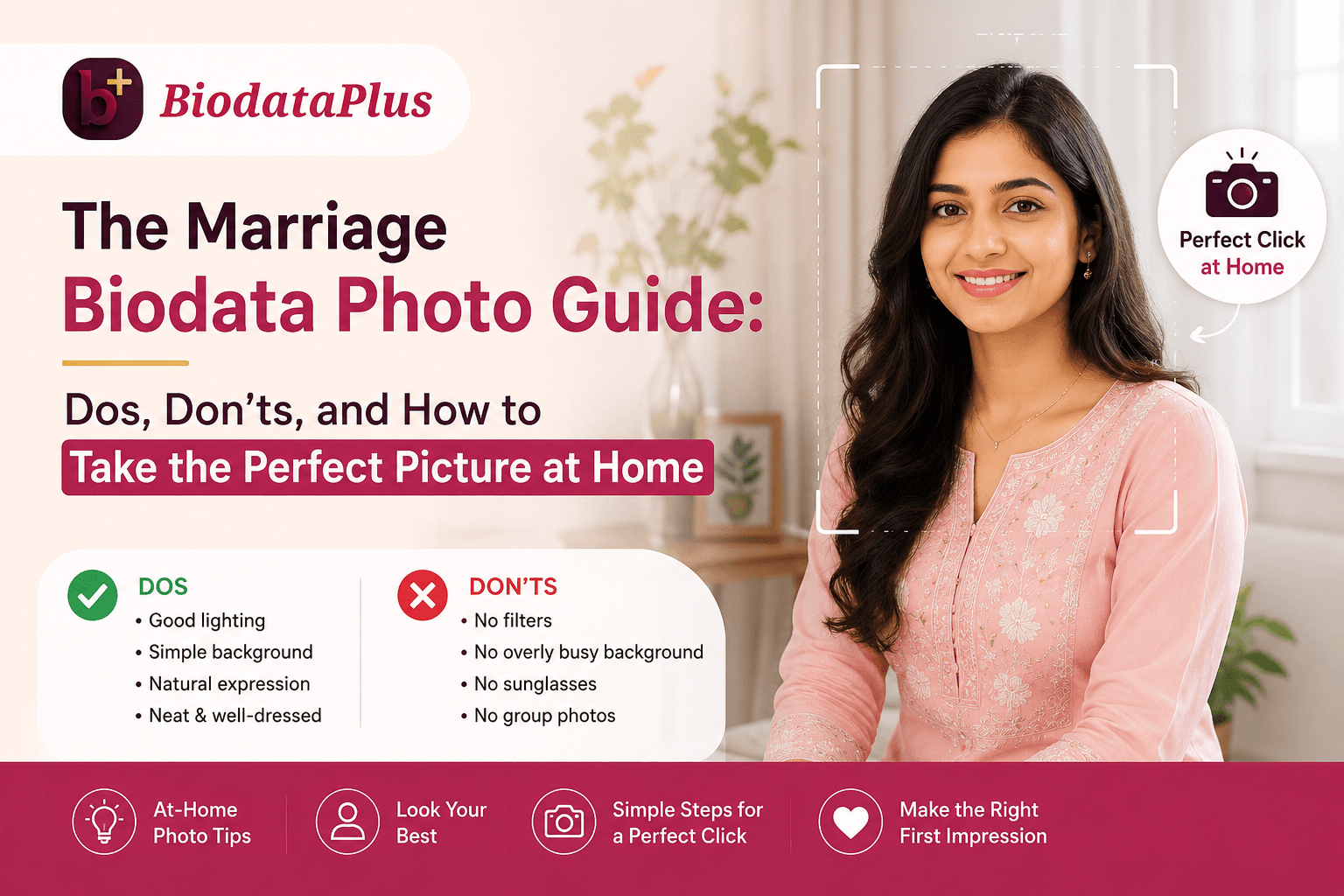
The good news is that you do not need expensive equipment or professional photography skills. With the right lighting, background, clothing, and camera setup, you can take an excellent biodata photo at home that looks authentic, confident, and approachable.
The 5-Minute At-Home Photo Checklist
- Camera: Back camera only, 2x zoom, shot at exact eye level.
- Lighting: Facing a window at a 45-degree angle (morning or late afternoon).
- Background: 3 to 5 feet away from a solid, neutral-coloured wall.
- Pose: Shoulders turned slightly away, face looking back with a genuine smile.
- Outfit: Solid jewel tones (navy, maroon, teal); avoid pure white, solid black, or heavy patterns.
Why Your Biodata Photo Matters More Than You Think
When someone receives a marriage biodata, they typically scan the photo first and the details second. This is not superficial — it is human psychology.
Within seconds, people unconsciously look for signs of sincerity, confidence, warmth, and transparency. A clear and natural photograph reassures viewers that the biodata accurately represents the person behind it. On the other hand, heavily filtered images, awkward angles, or low-quality photos can create doubt before the conversation even begins.
Your goal is not to look like a model.
Your goal is to look like the best and most authentic version of yourself.
Read Also — What to Include in a Marriage Biodata — Complete Checklist 2026
The Biggest Mistake: Choosing Between a Passport Photo and a Selfie
Many people make the mistake of choosing one of two extremes.
The Passport Photo Problem
Passport photographs are designed for identification, not personal connection. Government photo guidelines prioritise facial recognition, neutral expressions, and uniform lighting. As a result, passport photos often make people appear stiff, serious, and emotionally distant.
Common issues include:
- Rigid posture that feels unnatural.
- Flat lighting that removes depth from facial features.
- Neutral expressions that reduce warmth and approachability.
- Harsh shadows under the eyes caused by direct flash.
A passport photo may prove who you are, but it rarely shows who you are.
The Selfie Problem
At the opposite end is the casual smartphone selfie. While selfies feel natural, they create technical distortions that most people do not realise. Front-facing cameras typically use wide-angle lenses. When the phone is held close to your face, your facial proportions become distorted — often making the nose appear larger and the forehead more prominent.
Beyond the lens issue, selfies frequently include distracting elements such as car interiors, beds, mirrors, restaurant tables, or random backgrounds.
We have all seen the classic car-seat selfie. Ironically, the lighting through a windshield can be flattering, but the setting communicates "running errands" rather than "presenting myself for a serious life decision."
The Better Alternative: The Environmental Portrait
The ideal biodata photo sits comfortably between these two extremes. Photographers often call this an environmental portrait — a natural photograph taken from a comfortable distance that captures your real appearance while maintaining professionalism.
It feels personal without becoming casual. It feels polished without looking staged.
Your Home Studio Setup: Professional Results Without Professional Equipment
Most modern smartphones are capable of producing excellent biodata photographs if used correctly. The secret is not the camera. The secret is the setup.
Use the Back Camera, Not the Selfie Camera
The rear camera on your smartphone almost always has a better sensor, better image quality, and more accurate colour reproduction than the front camera.
If possible:
- Ask a family member or friend to take the picture.
- Use a tripod with a self-timer.
- Use the phone's rear camera instead of the front-facing lens.
- Step back and use a 2x zoom option if available.
This approach creates more natural facial proportions and avoids the distortion commonly associated with selfies. You can make a whole biodata using a mobile phone.
The 45-Degree Window Rule
Lighting is the single biggest factor separating amateur photos from professional-looking portraits. Instead of standing directly under ceiling lights, position yourself near a large window.
Face the window first, then turn your body approximately 45 degrees away from it. This creates gentle shadows that add depth and dimension to your face. Photographers often use this technique because it naturally defines facial structure while maintaining soft and flattering light.
Avoid Midday Sunlight
Many people assume bright sunlight equals better photos. In reality, direct midday sunlight creates harsh shadows under the eyes, nose, and chin — photographers sometimes call these "raccoon shadows" because of the dark circles they create around the eyes.
The best times to shoot are:
- Early morning
- Late afternoon
- Bright but overcast days
These conditions produce softer light and more natural skin tones.
Background Choices That Instantly Improve Your Photo
A clean background communicates attention to detail. A cluttered background communicates distraction.
Choose Simplicity Over Decoration
The best backgrounds are usually:
- Plain off-white walls
- Light grey walls
- Beige backgrounds
- Soft neutral colours
- Uncluttered indoor spaces
Avoid backgrounds containing laundry, visible beds, busy wallpaper, kitchen clutter, random furniture, or multiple decorative items. Remember: the photograph is about you — not your living room.
Create Depth for a Premium Look
One surprisingly effective trick is to stand 3 to 5 feet away from the wall. Most people stand directly against the background, which flattens the image and creates a passport photo effect.
When you create distance between yourself and the wall, modern smartphones naturally produce a softer background appearance. This separates you from the background and makes the portrait look more professional.
What Should You Wear in a Marriage Biodata Photo?
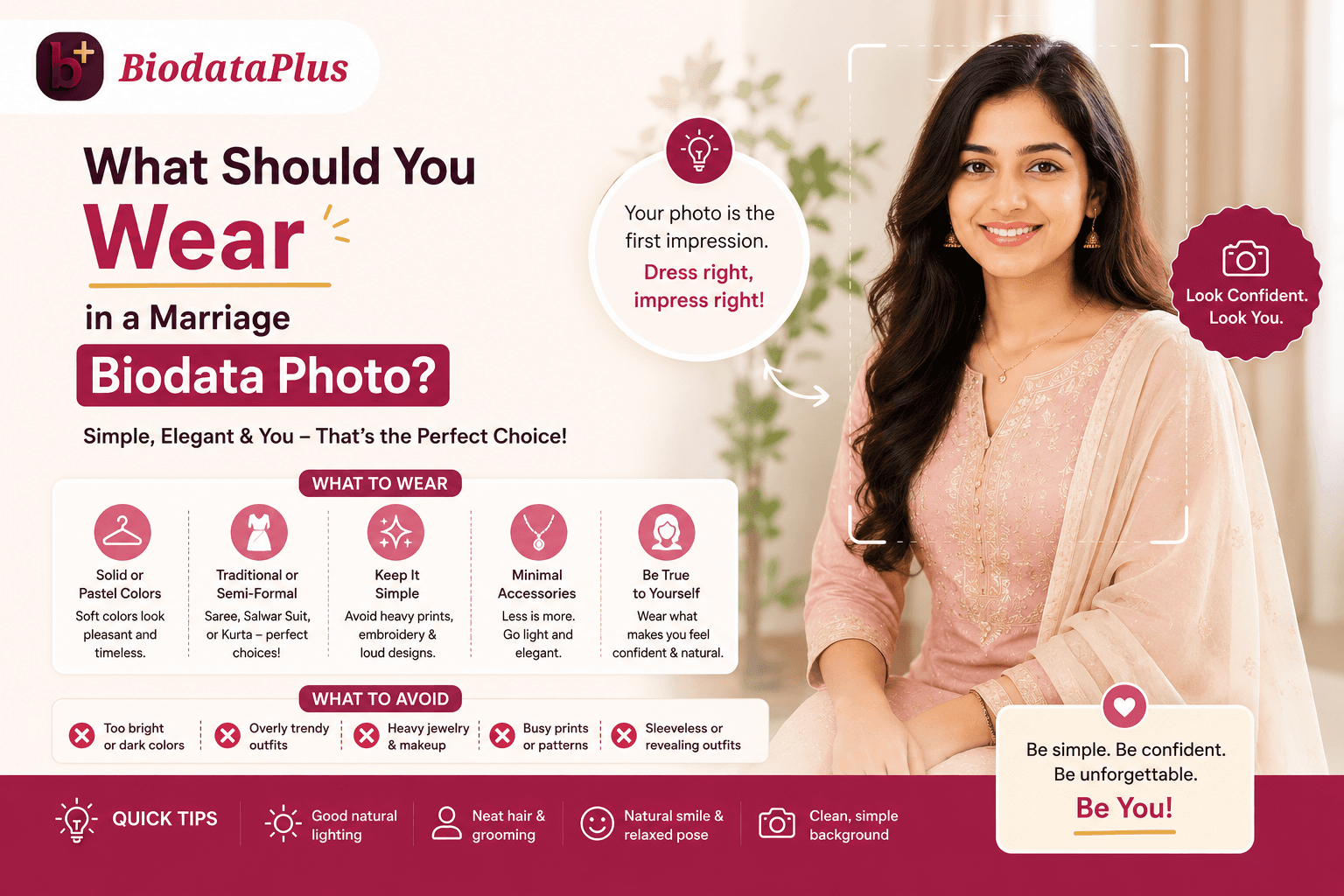
The best outfit is neither overly formal nor overly casual. Think of it this way: dress one level above what you would wear to a pleasant family gathering.
Traditional vs Smart Casual: Finding the Balance
The ideal choice depends on your personality, culture, and intended audience.
| Traditional Choices | Smart Casual Choices |
|---|---|
| Elegant saree | Solid-coloured blouse |
| Simple kurta | Crisp linen shirt |
| Neat salwar suit | Polo shirt |
| Nehru jacket | Well-fitted button-down shirt |
Both approaches can work beautifully when styled appropriately. The key is looking comfortable and authentic.
Colour Choices Matter More Than You Think
Certain colours naturally photograph better than others. Consider: navy blue, emerald green, deep maroon, teal, burgundy, and muted earth tones. These colours generally complement a wide range of skin tones and create visual richness without overwhelming the image.
Try to avoid:
- Pure white outfits that can appear overexposed.
- Pure black outfits that hide clothing details.
- Neon colours that distract attention from your face.
Avoid Heavy Wedding Wear
Many people assume that wearing elaborate wedding attire makes them look impressive. In reality, heavily embroidered sherwanis, excessive jewellery, or extremely ornate outfits often shift attention away from your face. People should notice you first. Your clothing should support your appearance, not dominate it.
The Right Angle, Expression, and Posture
Even perfect lighting cannot compensate for poor composition.
What Angle Is Best for a Biodata Photo?
The camera should be positioned at eye level. This creates the most natural perspective and closely matches how people see you during real-life conversations.
Avoid:
- Low-angle shots from below the chin.
- High-angle selfies looking downward.
- Extreme side profiles.
Eye-level framing consistently produces the most trustworthy and balanced appearance.
Should You Smile?
Yes. A genuine smile is one of the most underrated elements of a biodata photo. Research consistently shows that people perceive naturally smiling faces as more approachable and trustworthy. The goal is not a forced grin but a relaxed expression that reflects warmth and confidence. The best smiles involve the eyes as much as the mouth.
The Shoulder Turn Technique
Instead of standing completely straight toward the camera, turn your shoulders slightly to one side. Then gently turn your face back toward the lens. This small adjustment creates a more natural posture and avoids the stiff appearance commonly associated with identification photographs.
Group Photos: Include Them or Avoid Them?
Your Primary Photo Must Be Solo
A biodata's main photo should always be an individual portrait. Never use:
- Cropped group photographs.
- Photos with visible shoulders from other people.
- Wedding crowd pictures.
- Festival snapshots.
Cropped images often signal that the photo was selected out of convenience rather than intention.
When Family Photos Can Work
If your biodata format allows multiple photos, a secondary family photograph may be appropriate — provided it is well-organised, professionally presented, clear and high quality, and focused on family warmth rather than a crowded event. Even then, your individual portrait should remain the primary image. A useful rule: 90% of the visual focus should remain on you.
How Many Photos Should a Marriage Biodata Include?
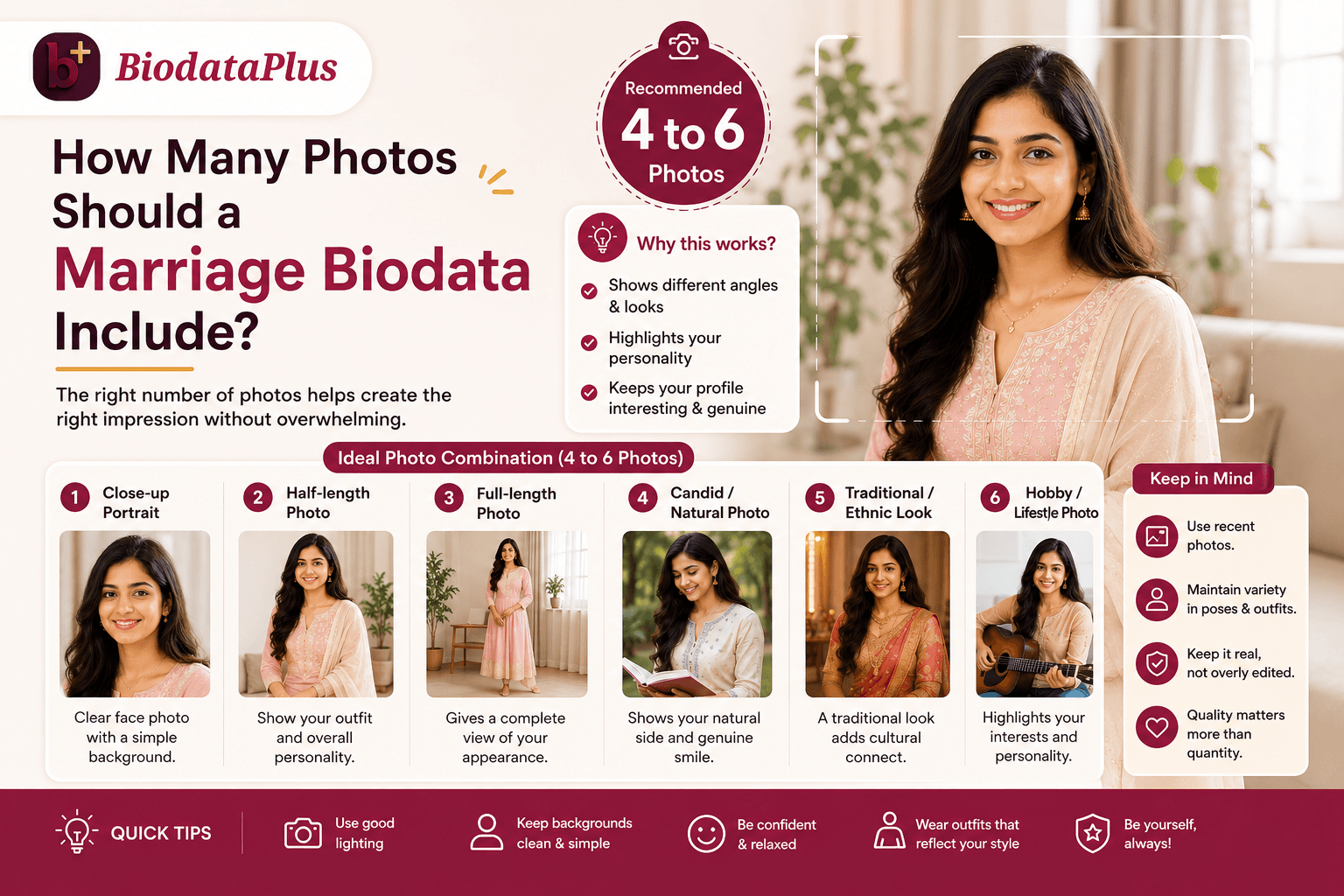
More photos do not necessarily create a stronger impression. In fact, too many photographs can become distracting. The sweet spot is usually:
- A primary chest-up portrait.
- A secondary mid-length or full-length photo.
This combination gives viewers a clear understanding of your appearance while maintaining simplicity and professionalism.
The Hidden Risk of Over-Editing
One of the biggest modern mistakes is excessive editing. AI filters, beauty apps, skin smoothing, and dramatic retouching may seem attractive initially, but they often create problems later.
When people meet in person, major differences between photographs and reality can create what psychologists call an expectation gap. Even when the actual person is attractive, the mismatch can reduce trust.
A biodata photo should be polished. It should never be misleading.
Natural skin texture, realistic colours, and accurate representation will always outperform heavy editing in the long run.
Final Thoughts: Your Photo Should Build Trust, Not Just Attention
The perfect marriage biodata photo is not about looking glamorous. It is about looking genuine, approachable, confident, and respectful.
When you combine natural window light, a clean background, thoughtful clothing, proper camera positioning, and a warm expression, you create a photograph that feels trustworthy at first glance.
And once you have invested time in capturing the right image, make sure the rest of your biodata presentation supports that effort. At BiodataPlus, we believe a great photo deserves a great biodata layout. Our platform helps individuals create free marriage biodatas designed for all religions, castes, genders, communities, and life situations.
After all, you have already done the hard work of creating the right first impression. Our platform helps ensure that the impression carries through every page of your biodata.
Create Your Biodata Now with a Great Photo!